ビューの操作
ビューの操作はビューマネージャ(ViewManager)を通して行います。
プロジェクトビュー、ダイアグラムエディタ、拡張ビューへの操作が可能です(ただしプラグインからのみ)。
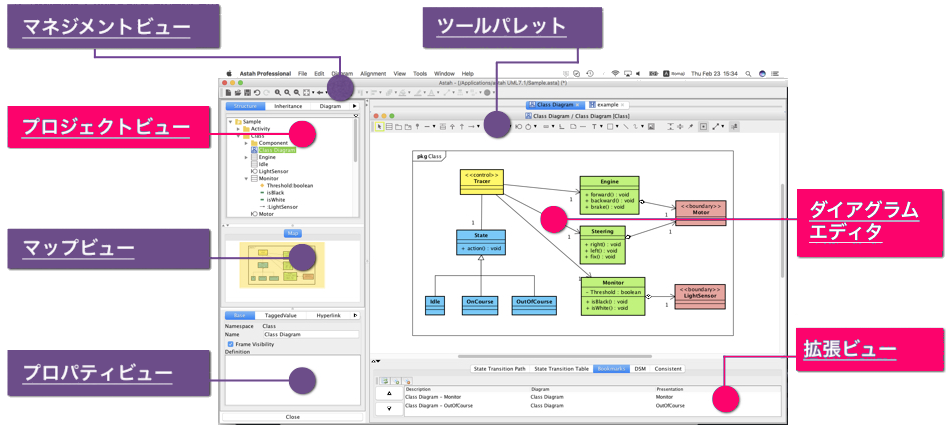
ビューマネージャ
ビューマネージャはProjectAccessor#getViewManager()で取得可能です。
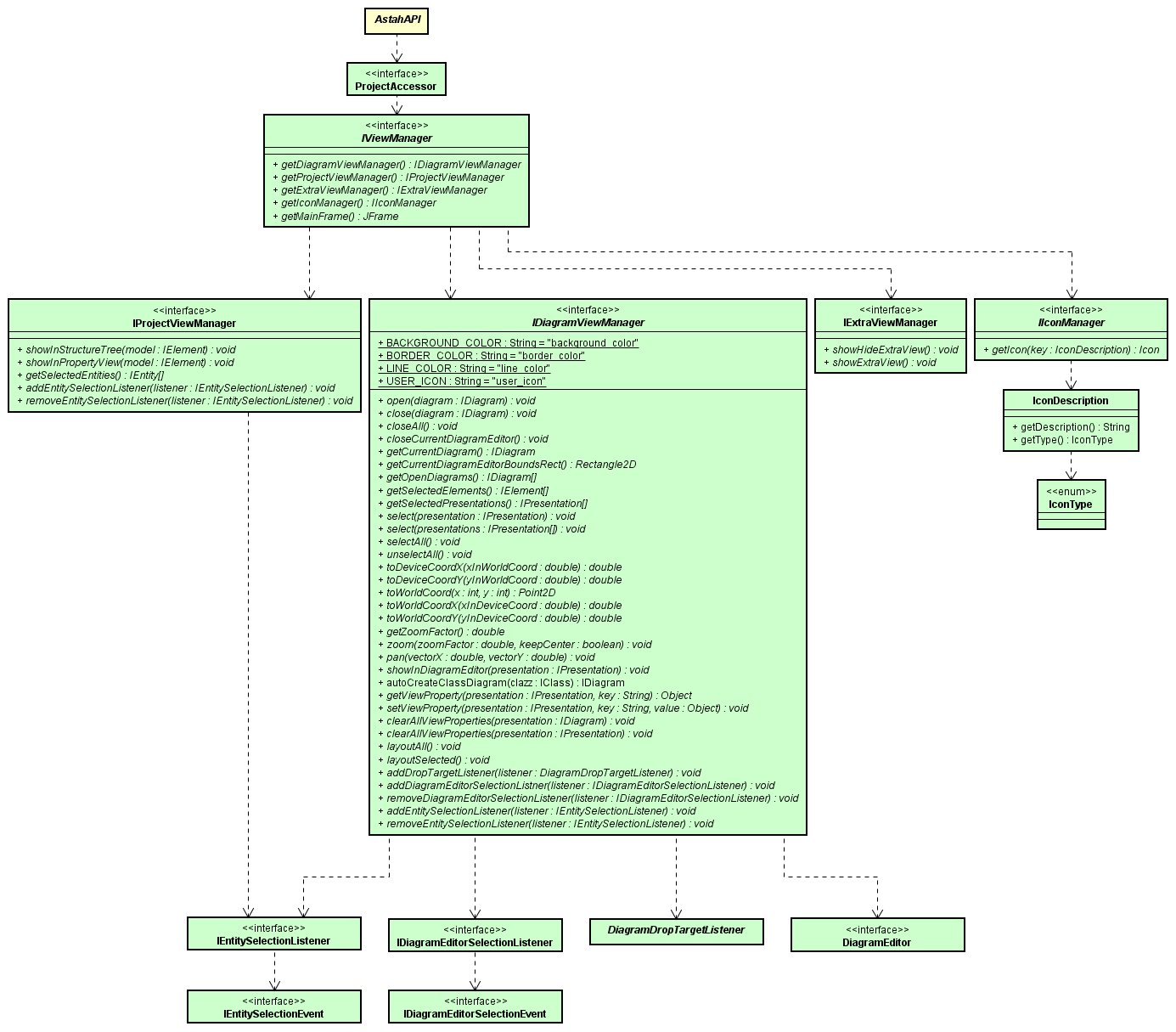
各ビューマネージャから可能な操作は下記のとおりです。
| ビューマネージャの種類 | 操作対象のビュー | 可能操作 |
|---|---|---|
| IProjectViewManager | プロジェクトビュー | 構造ツリーの要素を選択する、指定したモデルのプロパティビューを表示する、etc… |
| IDiagramViewManager | ダイアグラムエディタ | 図を開く、図を閉じる、カレントの図を取得する、開いている図を取得する、図上の要素を選択する、選択を解除する、座標変換を行う、ズームする、パンする、指定した図要素を中央に表示する、etc… |
| IExtraViewManager | 拡張ビュー | 拡張ビューを表示する、拡張ビューを非表示にする |
| IIconManager | - | アイコンを取得する |
ダイアグラムエディタを操作する
図を開いてプレゼンテーションを中央に表示し、プレゼンテーションを選択する例です(ChangeVision/astah-bookmarks-plugin/AstahAccessor.javaより)。
public boolean selectPresentation(String[] classIdList) throws InvalidUsingException, ClassNotFoundException {

    ProjectAccessor projectAccessor = ProjectAccessorFactory.getProjectAccessor();
    IPresentation[] selectPresentations = getPresentation(classIdList);

    if (selectPresentations != null && selectPresentations.length > 0) {
        IDiagramViewManager dvm = projectAccessor.getViewManager().getDiagramViewManager();
        dvm.open(selectPresentations[0].getDiagram());
        dvm.showInDiagramEditor(selectPresentations[0]);
        dvm.select(selectPresentations);
    } else {
        // not exist presentation
        return false;
    }

    return true;
}